Delve into the world of smart home security with a focus on ensuring the safety of your devices. This engaging guide provides insight into the risks, vulnerabilities, and best practices to keep your smart home setup secure.
Explore the importance of securing smart home devices, common vulnerabilities to watch out for, and the best practices to implement for a secure smart home experience.
Introduction to Smart Home Security
As smart home technology becomes increasingly prevalent in modern households, the importance of securing these devices cannot be overstated. With the convenience and connectivity they provide, smart home devices also introduce potential vulnerabilities that can compromise the security and privacy of homeowners.
Unsecured smart home setups pose significant risks, opening the door to unauthorized access by cybercriminals. From hackers gaining control of your smart locks to spying through compromised cameras, the consequences of a breach in your smart home system can be severe and far-reaching.
Risks of Unsecured Smart Home Setups
- Unauthorized access to sensitive personal data
- Remote control of smart devices by malicious actors
- Potential surveillance and privacy invasion
Common Security Vulnerabilities in Smart Homes
Smart home setups are convenient, but they also come with their fair share of security vulnerabilities that can be exploited by hackers. It's crucial to be aware of these vulnerabilities to protect your privacy and data.
Weak Passwords
One of the most common vulnerabilities in smart homes is the use of weak passwords. Many users tend to use simple or easily guessable passwords, making it easier for hackers to gain access to their devices and systems.
Outdated Software
Another common issue is running outdated software on smart devices. Failure to update software leaves devices vulnerable to known security flaws that hackers can exploit to gain unauthorized access.
Insecure Network Connections
Unsecured network connections can also pose a significant risk in smart homes. If devices are connected to unencrypted or public Wi-Fi networks, hackers can intercept sensitive information and potentially take control of the devices.
Lack of Encryption
The absence of encryption in smart home devices can expose data to interception by cybercriminals. Without encryption, sensitive information like passwords, personal details, and device commands are transmitted in plain text, making them easy targets for hackers.
Default Settings
Many smart devices come with default settings that are often insecure. Hackers can exploit these default settings to gain access to devices or networks, as users may overlook the importance of changing them to more secure configurations.
Best Practices for Securing Your Smart Home
Securing your smart home is crucial to protect your privacy and prevent unauthorized access. By following best practices, you can minimize the risk of cyber threats and ensure the safety of your connected devices.
Steps to Secure Smart Home Devices
When setting up your smart home devices, it is essential to take the following steps to enhance security:
- Change default passwords: Always change the default passwords on your smart devices to unique, strong passwords to prevent easy access by hackers.
- Keep software updated: Regularly update the firmware and software of your smart devices to patch any security vulnerabilities that may exist.
Importance of Using a Secure Wi-Fi Network
Using a secure Wi-Fi network for your smart devices is crucial for safeguarding your data and preventing unauthorized access. A secure Wi-Fi network with strong encryption protocols adds an extra layer of protection to your smart home ecosystem.
Role of Encryption in Securing Smart Home Communication
Encryption plays a vital role in securing smart home communication by encoding data transmitted between devices, making it unreadable to unauthorized parties. Implementing encryption protocols such as WPA2 or WPA3 on your Wi-Fi network and smart devices ensures that your sensitive information remains protected.
Multi-factor Authentication for Smart Home Devices
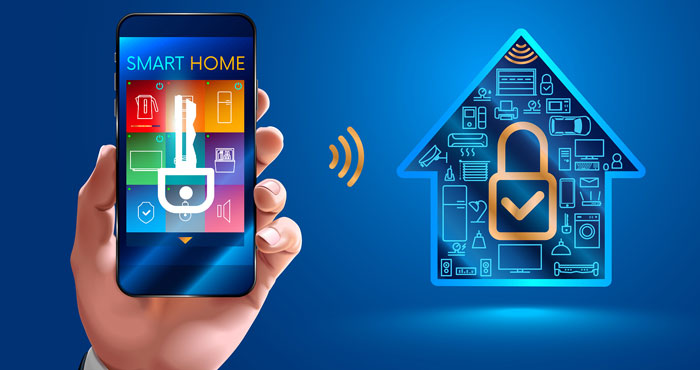
Multi-factor authentication (MFA) is a security process that requires more than one method of authentication to verify the identity of a user. In the context of smart home devices, MFA adds an extra layer of security beyond just a password, making it more difficult for unauthorized users to access your smart home setup.
How MFA Enhances Smart Home Security
- By requiring multiple forms of authentication, such as a password and a unique code sent to your phone, MFA significantly reduces the risk of unauthorized access to your smart home devices.
- Even if a hacker manages to obtain your password, they would still need the second factor (such as a fingerprint or a security key) to gain access, adding a crucial barrier to potential security breaches.
Tips for Enabling MFA on Smart Home Devices
- Check if your smart home devices support MFA. Many modern devices come with built-in MFA features that you can easily enable in the settings.
- Utilize biometric authentication methods like fingerprint or facial recognition where possible, as they provide an additional layer of security that is hard to replicate.
- Consider using a reputable authentication app that generates one-time codes for MFA, ensuring that only you have access to the secondary authentication method.
- Regularly update your MFA settings and review the devices connected to your smart home network to ensure that only authorized users have access.
Monitoring and Managing Smart Home Security
Monitoring and managing the security of your smart home devices is crucial to ensure that your personal data and privacy are protected from potential threats. By actively monitoring and managing your smart home security, you can detect and address vulnerabilities before they are exploited by malicious actors.
Tools and Software for Managing Smart Home Security
There are various tools and software available that can help you manage the security of your smart home devices effectively
- Smart home security platforms like Bitdefender BOX or Cujo AI.
- Network monitoring tools such as Fing or GlassWire.
- Device-specific security apps provided by manufacturers.
Setting Up Alerts for Suspicious Activity
Setting up alerts for suspicious activity in your smart home systems is essential to quickly identify and respond to potential security breaches. By configuring alerts for unusual behavior or unauthorized access, you can take immediate action to protect your smart home devices and data.
Some best practices for setting up alerts include:
- Enable notifications for login attempts or changes in device settings.
- Configure alerts for unrecognized devices connecting to your network.
- Set up alerts for software updates and security patches to ensure your devices are up to date.
Secure Communication Protocols for Smart Home Devices
When it comes to securing your smart home setup, choosing the right communication protocol for your devices is crucial. Different protocols come with varying levels of security, so it's important to understand the implications of each.
Zigbee
- Zigbee is a low-power, wireless communication protocol commonly used in smart home devices.
- Security Implications: While Zigbee devices offer encryption, some vulnerabilities exist, such as weak or default encryption keys.
- Recommendations: Ensure Zigbee devices are updated with the latest firmware to address security flaws, and consider using additional security measures like firewalls.
Z-Wave
- Z-Wave is another wireless communication protocol known for its reliability and low power consumption.
- Security Implications: Z-Wave devices use a unique network key for encryption, but vulnerabilities can still arise if this key is compromised.
- Recommendations: Regularly change the network key for Z-Wave devices to enhance security, and avoid using default configurations.
Wi-Fi
- Wi-Fi is a common communication protocol used in smart home devices due to its widespread availability and compatibility.
- Security Implications: Wi-Fi networks can be vulnerable to attacks if not properly secured, such as unauthorized access or eavesdropping.
- Recommendations: Use strong encryption protocols like WPA3, enable network segmentation for smart home devices, and regularly update Wi-Fi router firmware.
Privacy Concerns with Smart Home Devices
Smart home devices offer convenience and efficiency, but they also raise privacy concerns due to the potential for data collection and sharing. Users need to be mindful of how their personal information is being used and take steps to protect their privacy while enjoying the benefits of smart technology.
Identifying Privacy Issues
- Smart home devices may collect sensitive data such as audio recordings, video footage, and personal habits.
- Manufacturers or third parties could potentially access this data, raising concerns about data security and privacy breaches.
- There is a risk of data sharing with advertisers or other entities, leading to targeted marketing or potential misuse of personal information.
Protecting Your Privacy
- Review and understand the privacy policies of your smart home devices to know what data is being collected and how it is used.
- Regularly update device firmware and software to ensure security patches are in place.
- Disable features that are not essential for your smart home setup to minimize data collection.
- Change default passwords and enable two-factor authentication for an added layer of security.
Enhancing Privacy Settings
- Utilize encryption protocols for data transmission to prevent unauthorized access to your information.
- Opt for local storage options instead of cloud-based storage to have more control over your data.
- Regularly audit connected devices and remove any that are no longer in use or pose a security risk.
Outcome Summary
In conclusion, safeguarding your smart home setup is crucial in today's digital age. By following the recommended practices and staying informed about potential threats, you can enjoy the convenience of smart technology without compromising your security.
FAQ Corner
How can I secure my smart home devices effectively?
Some effective ways to secure smart home devices include changing default passwords, keeping software updated, and using a secure Wi-Fi network.
What is multi-factor authentication and how does it enhance smart home security?
Multi-factor authentication adds an extra layer of security by requiring multiple forms of verification, reducing the risk of unauthorized access to your smart home devices.
What are the privacy concerns related to smart home devices?
Privacy issues with smart home devices include data collection and sharing. Users can protect their privacy by adjusting privacy settings and being cautious about data sharing.